 SeaSmart
 for yachts & companies
Crew expenses,
from receipt to payment.
Crew scan receipts on any phone. The purser reviews, converts and exports everything for accounts — in one place.
Sound familiar? Almost every yacht deals with these problems.
Crew expenses are still paper, photos and spreadsheets.
Every rotation, crew pay for flights, taxis, hotels and courses. Getting that money back is slow for crew and time-consuming for the purser.
Lost receipts
Paper slips fade, get lost in pockets and cabins, or arrive weeks late.
Photos everywhere
Receipts arrive by WhatsApp, email and chat — mixed with everything else.
Retyping
The purser types every line into Excel and matches it to the right photo.
Currencies
Receipts in many currencies on one rotation — each one worked out by hand.
SeaSmart solves all four — in one simple flow, on the phones crew already have.
How it works
Five steps from receipt to payment.
Crew and purser always see the same claim, the same status and the same messages. Everyone gets an email when it’s their turn.
Scan the receipt
Photo or PDF on any phone. Going to Work, Going Home or Other.
Submit to the purser
Select receipts and send them as one claim, with an optional message.
Review
Check every receipt, enter the reimbursed value for foreign currencies, ask for changes.
Export & send for payment
Excel + PDF for accounts, then mark it “Sent for payment”.
Confirm “Got paid”
The claim is closed and archived for the purser’s records.
For crew · any phone
Android or iPhone. Nothing to install.
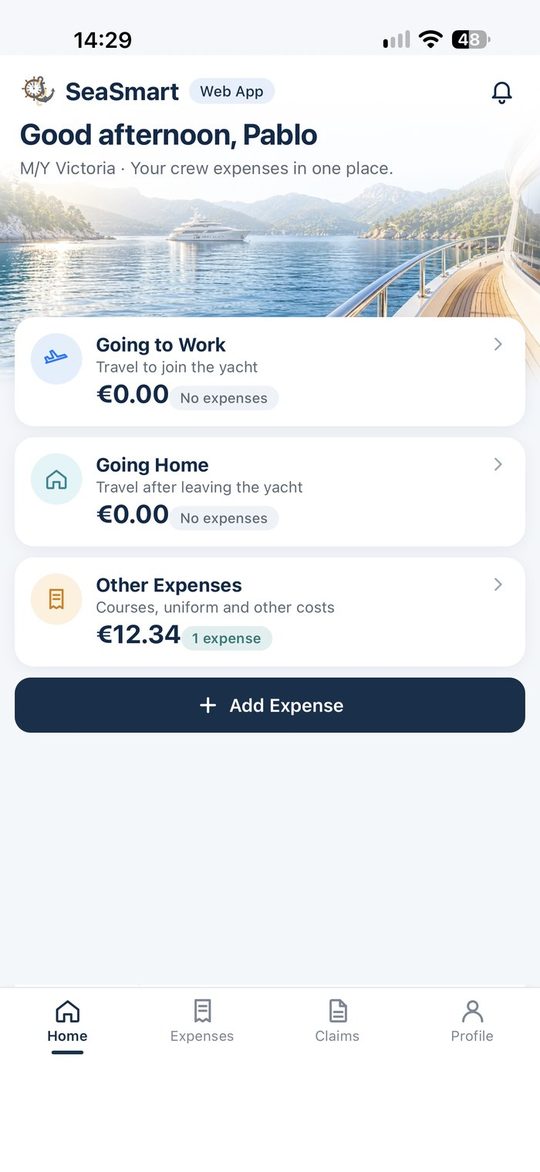
The SeaSmart web app opens in the phone’s browser and works like an app.
- Three simple journeys: Going to Work, Going Home and Other Expenses.
- Scan or import a photo or PDF. Photos are made smaller and their location data removed.
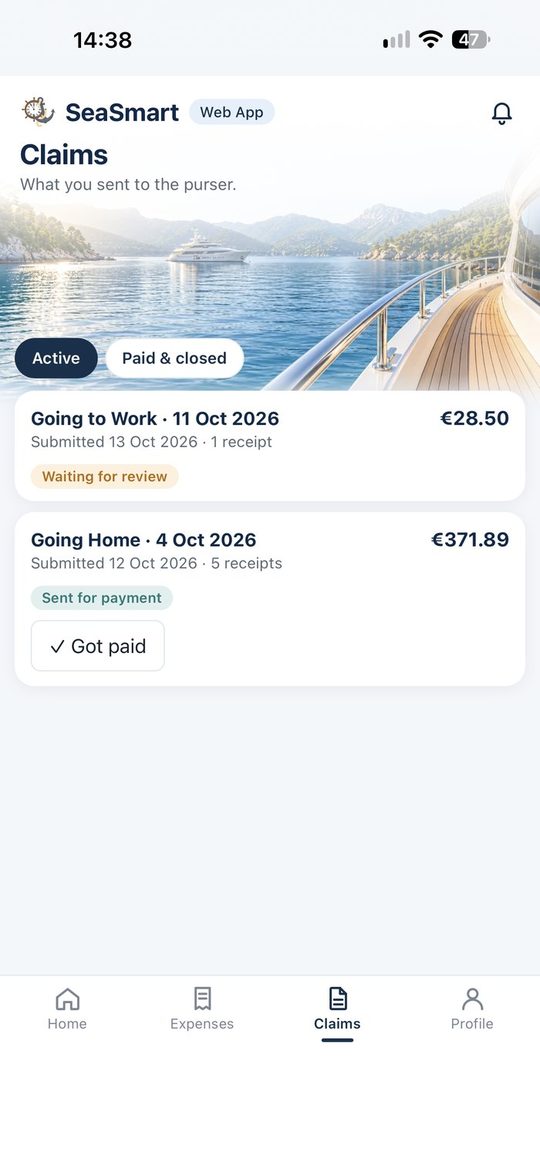
- Claims in plain words: waiting, changes requested, sent for payment, paid.
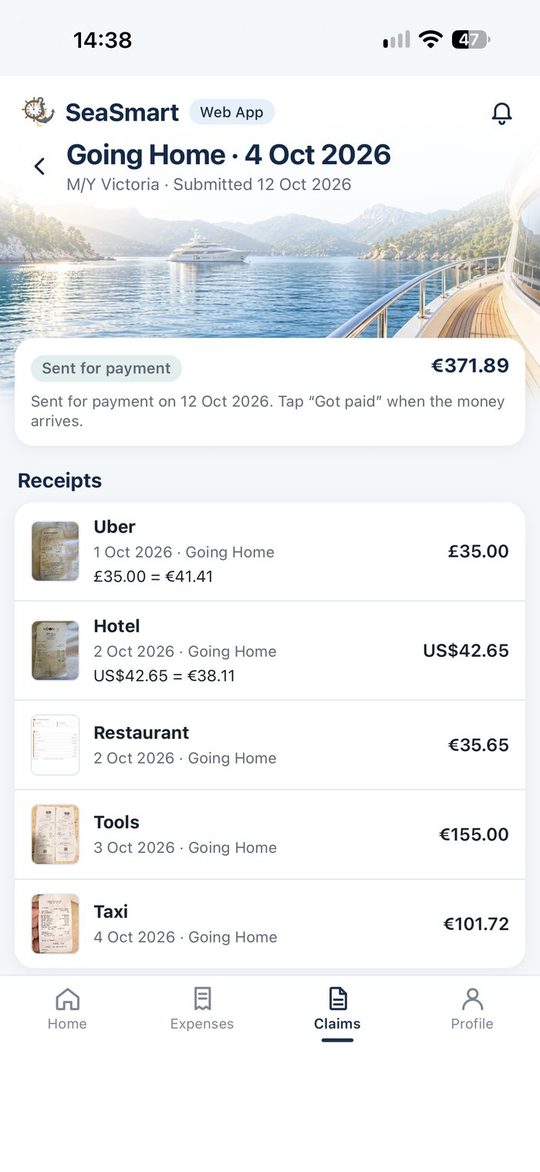
- Any currency: crew enter the receipt as paid; the purser’s reimbursed value is shown next to it.
- Message the purser directly on the claim.
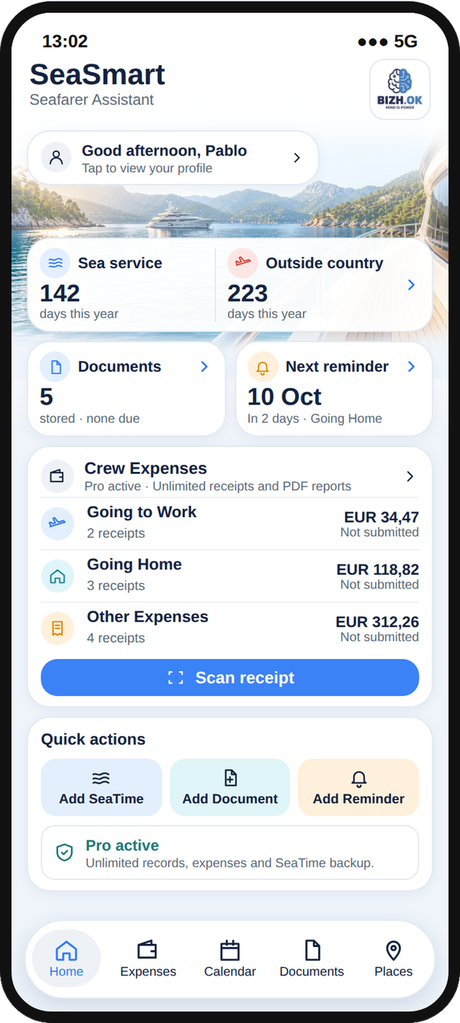
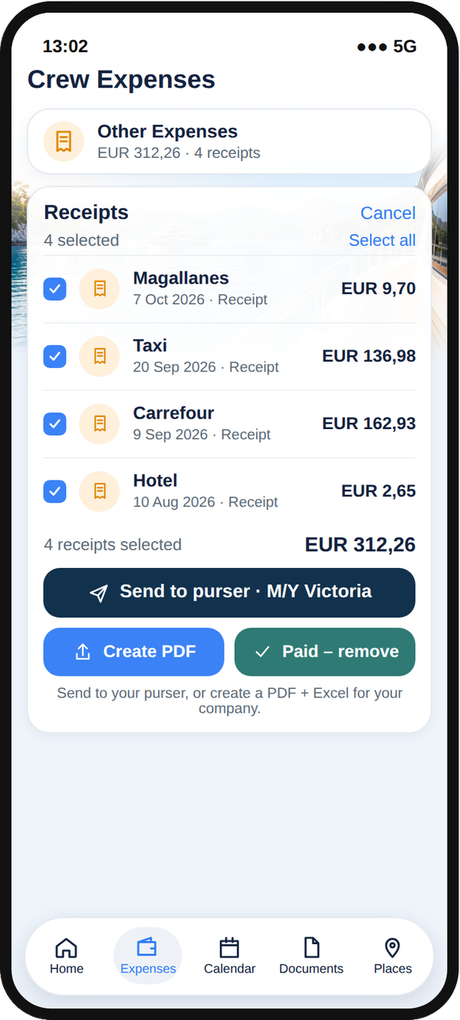
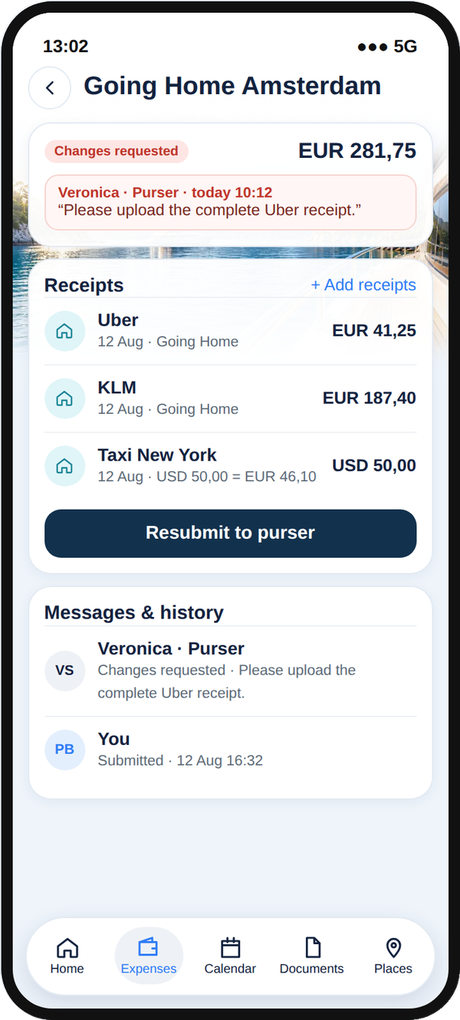
For crew · SeaSmart iPhone app
Connected to the purser.
New version · coming soonSeaSmart is already the seafarer’s assistant on iPhone — sea time, documents, reminders and expenses. The next version sends claims straight to the yacht.
- Send to purser next to Create PDF — active once the crew member joins the yacht.
- The same claims as the web app: status, messages, resubmit, got paid.
- Join a yacht with its invite code or link.
For the purser
Everything in one dashboard.
Made for the computer in the office — and it works on a phone too.
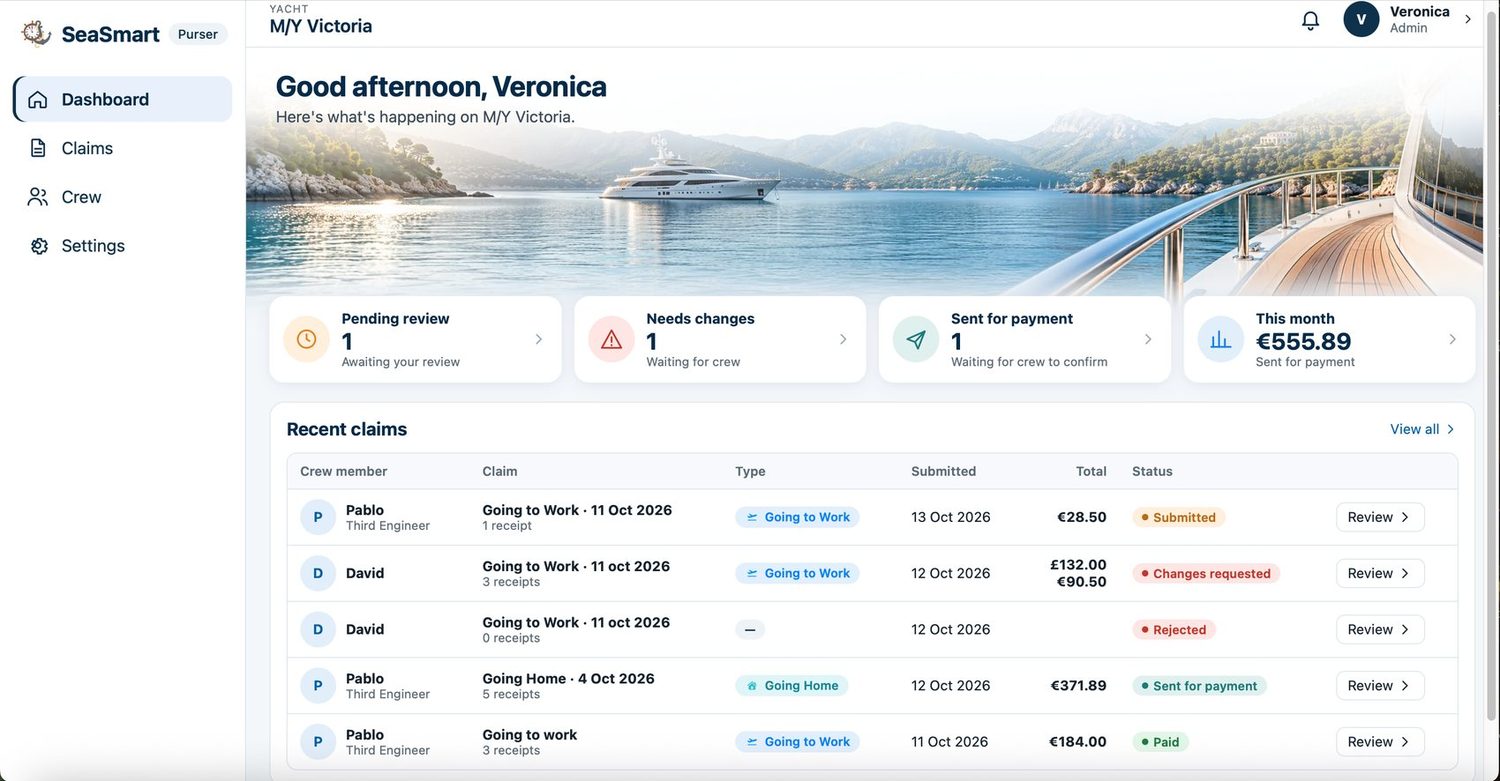
- At a glance: what waits for review, what waits for crew, what was sent for payment this month.
- Notification bell and emails for new claims and crew replies.
- Search and filters by crew member, status and journey.
- Several yachts? Switch between them at the top.
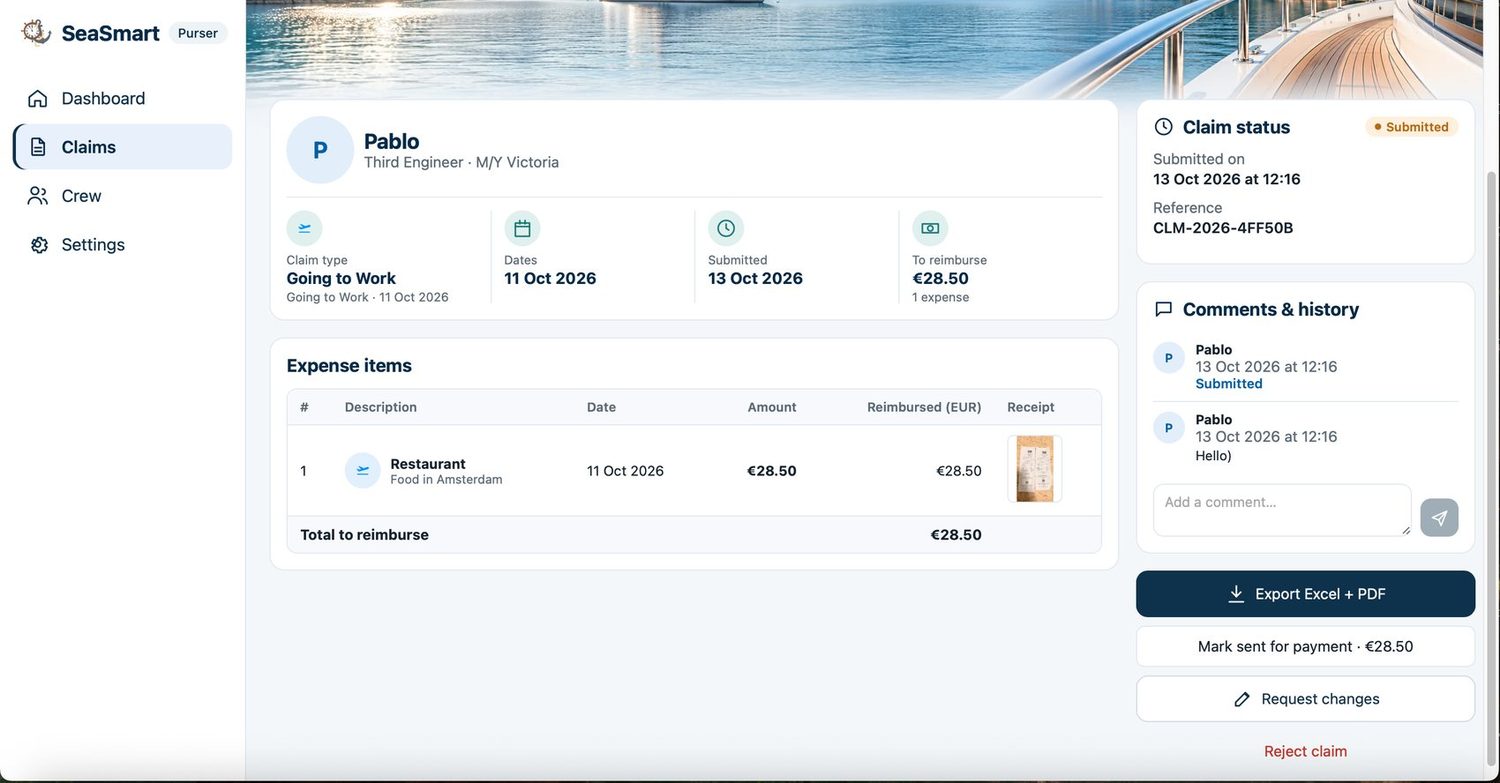
- Receipt photos and PDFs next to each line, full size in one click.
- Request changes with a message — crew fix it from their phone.
- Export Excel + PDF, then Mark sent for payment.
- Full history of who did what and when.
Currencies
Any currency in, one total in the yacht’s currency.
Each yacht chooses its reimbursement currency — EUR, USD, GBP or any other. Crew record receipts in whatever currency they paid; the purser enters the value actually reimbursed.
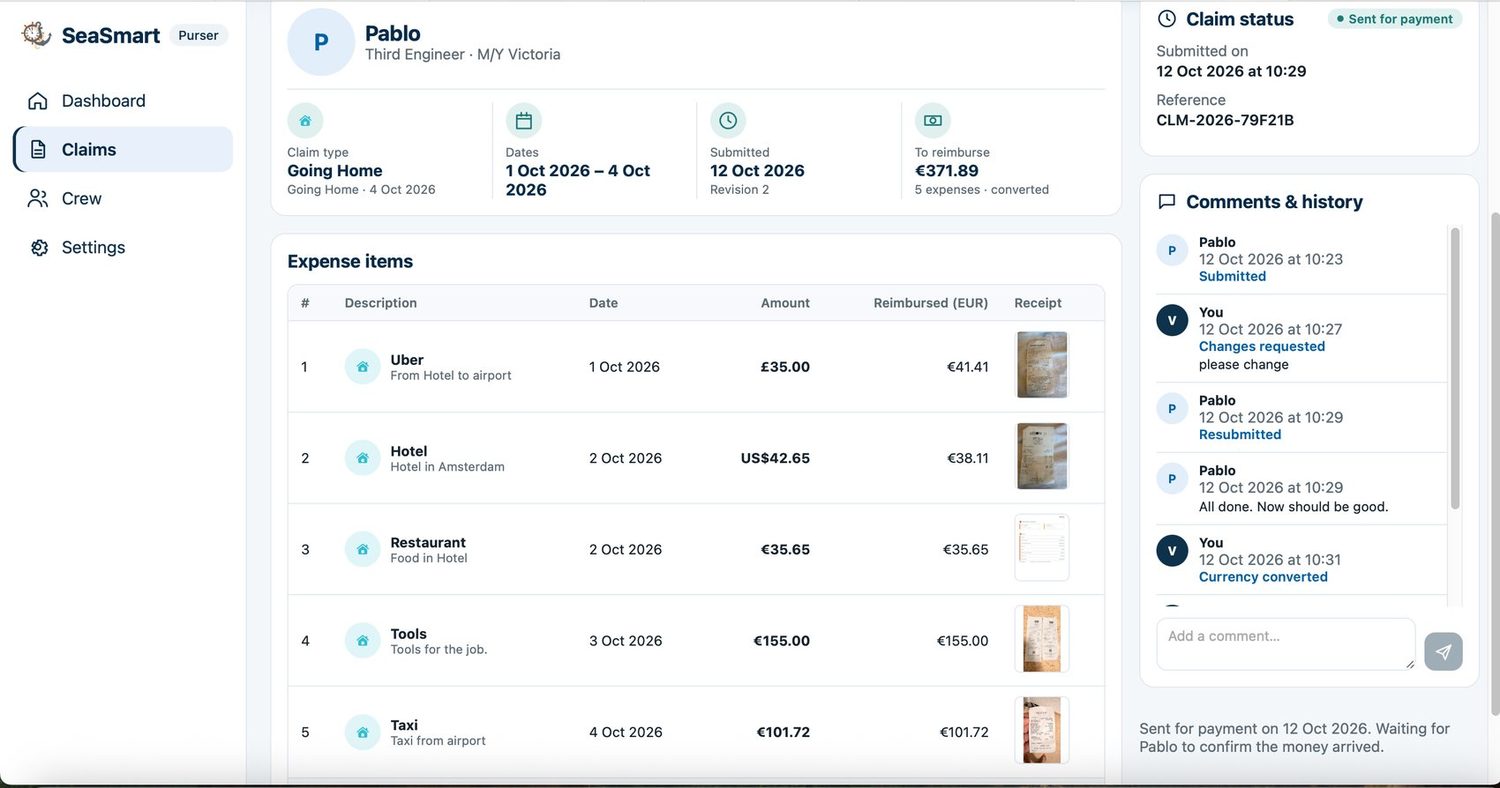
- Reimbursed column in the yacht’s currency: receipts already in that currency copy automatically, others get the purser’s value.
- Every value is recorded in the claim history, for example “Taxi: GBP 35.00 = EUR 41.41” on a euro yacht.
- A claim can only be sent for payment when every receipt has a value in the yacht’s currency.
- Crew, purser, Excel and PDF all show the same total.
Ready for accounts
Excel + PDF in one click.
The format accounts teams already work with — no retyping.

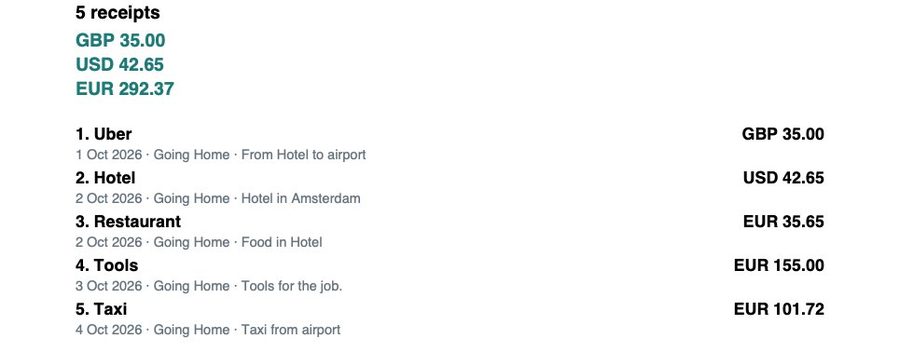
- Excel: one line per receipt with date, merchant, journey, currency, amount, reimbursed value and PDF page.
- Totals per currency and one grand total in the yacht’s currency that adds up every line.
- PDF: a summary followed by every receipt photo, numbered to match the Excel.
Your crew
Invite, approve, done.
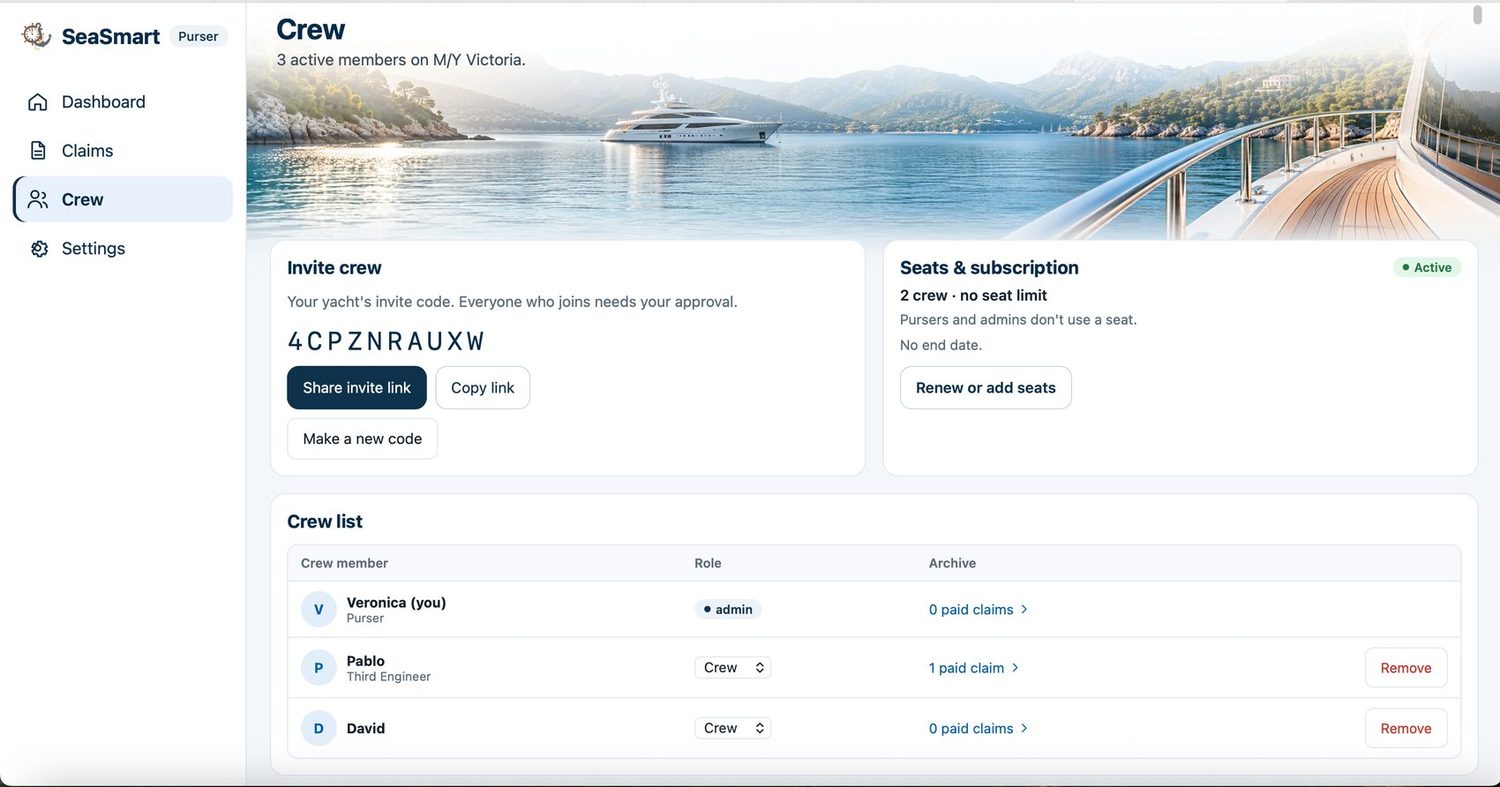
- One invite link per yacht — it shows the yacht’s name before sign-in.
- Approve each new crew member; make a new code any time.
- Roles: crew, purser and admin (usually the captain).
- Seats & paid-until date always visible.
Private receipts
Receipt files are private and only opened through short-lived secure links.
Each yacht separate
A yacht’s claims are only visible to its own purser and admins.
Personal stays personal
Crew members’ own expenses are never visible to the yacht.
No location data
Photo location data is removed on the phone before upload.
No passwords
Sign in with Apple or a one-time email code.
Full history
Every submission, change and payment is recorded.
Pricing
Pay only for your crew.
Pursers, captains and admins are free. Choose monthly, or save with a yearly plan.
Pursers, captains and admins don’t need a seat. Seats can be added at any time.
per year · about €4.17 per crew member a month
You save €148.35 a year compared with monthly.
Card payment is for the yearly plan. For monthly billing, request an invoice.
- Pay securely by card on Stripe’s page. Choose 15 seats and enter your yacht name.
- Get your set-up link by email within 24 hours.
- Create your yacht in the web app and invite your crew.
Bigger crew or several yachts? For 30+ seats contact support@seasmart.uk – we’re happy to discuss a discount.
We send a set-up link
For your number of crew seats.
Create the yacht
Name and reimbursement currency — two minutes.
Share the invite
Send the yacht’s link or code to the crew chat.
Approve & go
Approve crew and receive the first claims the same day.
Coming next
Crew travel: flights & hotels.
The purser already organises crew travel. Soon it will live in SeaSmart too — next to the expenses it creates.
- Flights for each rotation with e-tickets and reminders before departure.
- Hotels & transfers for joining and leaving crew, in one place.
- Next to expenses: the purser sees each crew member’s travel and claims for a rotation in one place.
Features and timing will be shaped with our first yachts.
Contact
Let’s set up your yacht.
Questions, a demo, or ready to start? Get in touch.